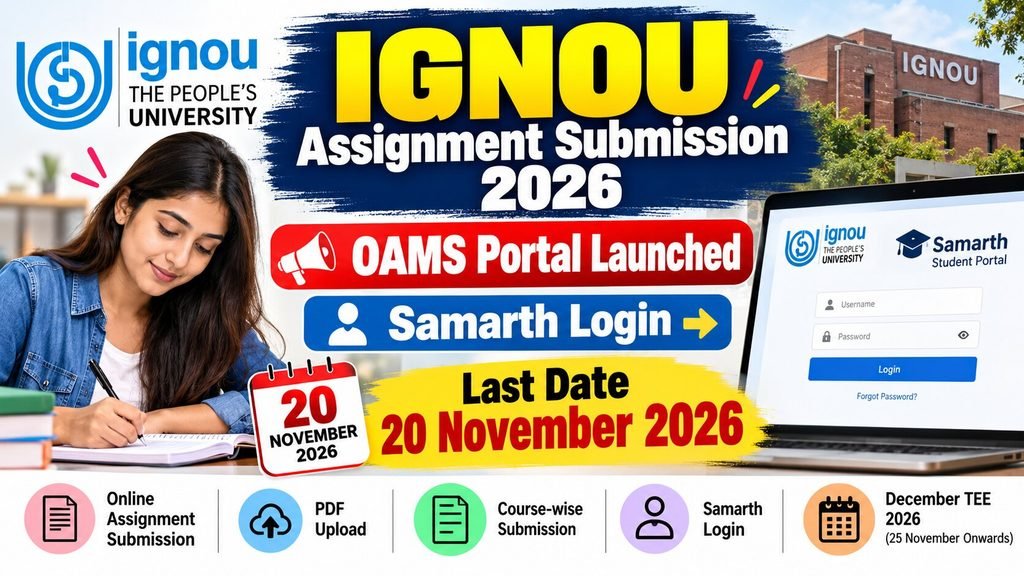
Indira Gandhi National Open University (IGNOU) is an institution recognized by the UGC and DEB. It has recently introduced a new online facility for students appearing for the December 2026 TTE (Term-End Examination), allowing all eligible students to submit their assignments from the comfort of their homes via the Online Assignment Management System (OAMS). The last date for submitting assignments via the IGNOU OAMS portal is November 20, 2026. Students should log in to their Samarth account to view the relevant dates and the guidelines regarding assignment uploads. In this article, we will cover topics such as the OAMS portal, Samarth login, the last date for the December TTE exam, and how to upload assignments in PDF format.
IGNOU OAMS Portal 2026 – Overview
| Description | Information |
|---|---|
| University | Indira Gandhi National Open University (IGNOU) |
| Related Exam | December Term-End Examination 2026 |
| New Update | Online Assignment Management System OAMS |
| New Portal Launch date | 28.10.2026 |
| OAMS Last date | 20.11.2026 |
| Who is eligible | Eligible ODL and Online Programme Students |
| Official website | ignou.ac.in |
What is the IGNOU OAMS portal, and why was it launched?
For the convenience of students—to facilitate the online submission of assignments and to maintain organized records of these submissions—IGNOU launched an ‘Online Assignment System’ (abbreviated as OAMS) on October 28th. Students studying at IGNOU are required to prepare assignments according to their respective programs and subsequently submit them offline. This is because it forms part of the assessment process, which is mandatory for every student to complete. However, all eligible candidates will now be able to upload their assignments online via the OAMS facility; this portal will prove to be a boon for students who are unable to submit them offline or who would otherwise have to travel long distances to submit a hard copy of their assignment. However, the old process of offline assignment submission has not yet been discontinued.
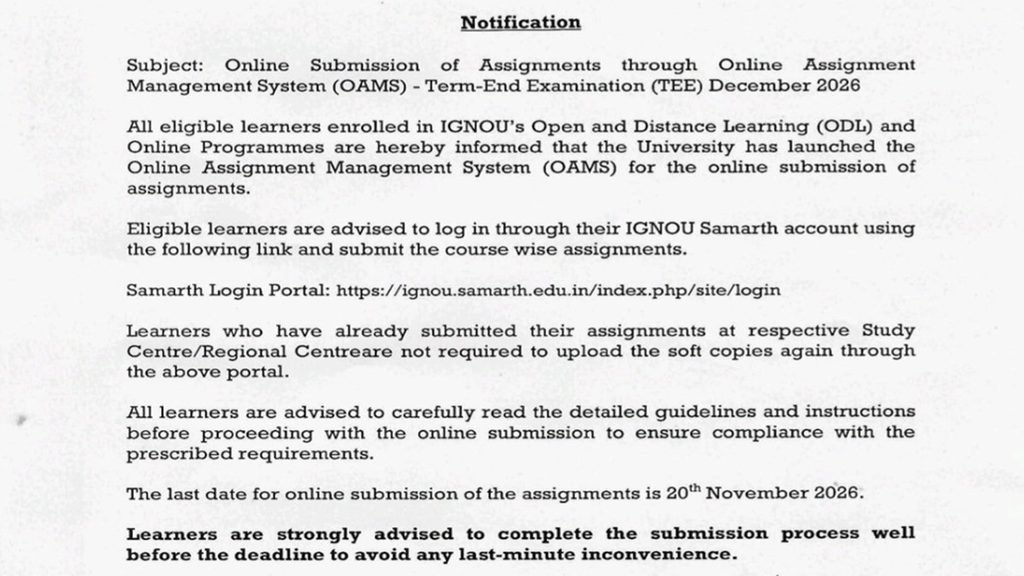
IGNOU has issued a notice regarding OAMS, which clearly states: “All eligible students enrolled in IGNOU’s Open and Distance Learning (ODL) and online programs are informed that the university has launched an Online Assignment Management System (OAMS) for the online submission of assignments.”
IGNOU Samarth Portal Login 2026 – Assignment Upload Process
The ‘Samarth’ portal, launched by IGNOU, is a student management portal. Students must first register on this portal, after which they receive their login credentials. Once logged in, there is a ‘Student Services’ option, which can be used to upload assignments. The procedure for submitting assignments via OAMS is as follows:
- First, you need to visit the official website of the IGNOU Samarth portal – https://ignou.samarth.edu.in/
- If you have not yet registered on this portal, click on ‘NEW REGISTER’. A registration form will then appear, in which you need to select your programme, enter your name (as it appears on your ID card), and provide your enrolment number.
- Then, click the ‘Submit’ button below. Once you do this, your registration will be complete, and you will receive a username and password. Use these details to log in.
- The Student Dashboard will open. Look for the ‘Online Assignment Management System (OAMS)’ or ‘Assignment Submission’ option on the Student Dashboard.
- Now, select the programme name and course code.
- Here you will see an option to upload a PDF file; please upload the relevant programme file there.
Also Read – UGC Approved Online Degree Courses in India 2026 Approved & Fake University List
IGNOU Assignment PDF Upload Guidelines 2026
- Assignment Scan – For whichever programme you are preparing an assignment for, all the answers you write must be handwritten. Following this, you need to create a clear PDF of each page.
- Create a PDF for each course – If a student has more than one course, a separate PDF must be created for each one. Name these PDFs according to the respective courses so that you do not face any difficulties when uploading them.
- Specified PDF size – The PDF file for your course must not exceed 20 MB in size; otherwise, you will not be able to upload it to the portal. If your PDF is larger than 20 MB, please compress it—but ensure that the content does not become blurry during the compression process.
- Summary of the first page of the assignment – On the first page of the assignment, you need to provide details such as your name, programme code, course code, the name and code of your Study Centre, and the name and code of your Regional Centre.
Which students are not required to upload assignments on OAMS?
The OAMS portal has been launched recently. Consequently, many students are wondering whether all eligible students are required to submit their assignments through this portal. Here are some guidelines for them.
- Students who have already submitted their assignments for the December TEE 2026 at their study centers do not need to upload them again for this session.
- Those who have submitted their assignments at the regional center do not need to upload them again on the portal.
- If you still have any doubts regarding this, please make inquiries at your respective center.
Important Links
| IGNOU Official Website | https://www.ignou.ac.in/ |
| IGNOU Samarth Login | https://ignou.samarth.edu.in/index.php/site/login |
| IGNOU Announcements | https://www.ignou.ac.in/announcements/0?nav=1 |
| IGNOU Student Services | https://www.ignou.ac.in/pages/54 |
| UGC-DEB Official Website | https://deb.ugc.ac.in/ |
IGNOU Assignment Submission 2026 FAQs
28 October 2026
You can upload your assignments online through the IGNOU exams portal.
विद्यार्थी IGNOU Samarth Portal पर Registered Account से Login करके उपलब्ध OAMS या Assignment Submission विकल्प खोल सकते हैं।