N-LIST 2026 :- Hello friends! This article will prove to be very useful for you. It addresses a common challenge faced by college students: the need for textbooks, study notes, and research papers. Often, essential books are either unavailable or so expensive that students cannot afford to purchase them. In this article, we introduce a resource—’N-List 2026’—that can help you overcome this problem. We will explain how students can register, log in, and obtain a membership to gain access to a wide range of e-books and other academic materials.
What is N-LIST?
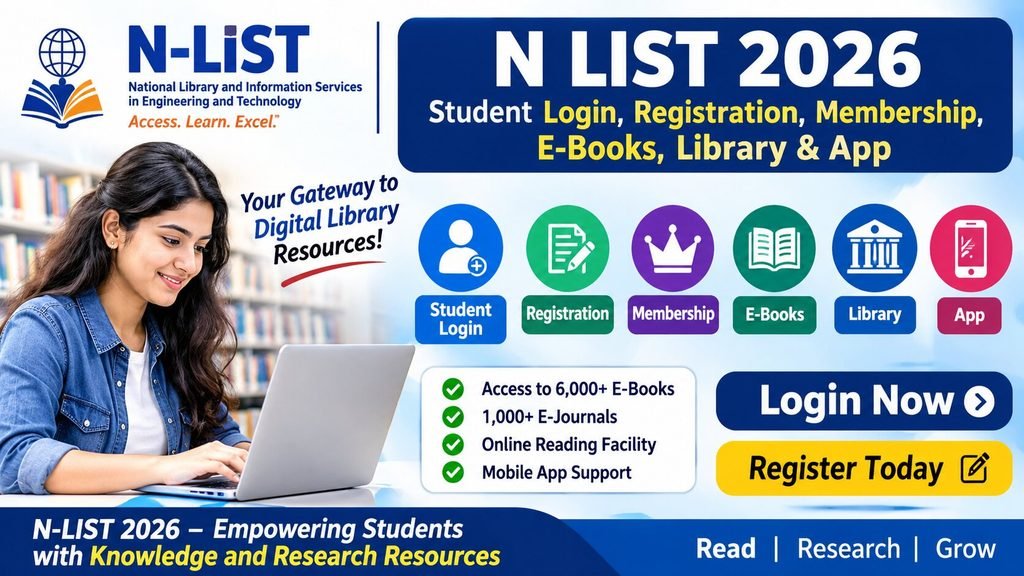
The full form of N-LIST is ‘National Library and Information Services Infrastructure for Scholarly Content’. In response to changing times, a new program called ‘N-LIST’ has been launched. Through this platform, students, college-goers, teachers, and researchers can access research-related materials and e-books online. Essentially, it functions as an online library, allowing you to view a wide range of book content directly on your mobile device. It provides resources—such as research papers and books—that might not even be available in a physical library; all of this has been uploaded to N-LIST and can be easily accessed from there.
N-LIST 2026 Overview
| Particulars | Details |
|---|---|
| Programme Name | N-LIST |
| Full Form | National Library and Information Services Infrastructure for Scholarly Content |
| Organisation | INFLIBNET Centre |
| Related Organisation | University Grants Commission (UGC) |
| Programme Type | Digital Library and Academic E-Resources |
| Main Users | College Students, Faculty and Researchers |
| Student Login | Available for Authorised Users |
| College Registration | Online |
| Membership | Institution-Based |
| Resources | E-Books, E-Journals, Research Articles |
| Official Website | nlist.inflibnet.ac.in |
Who can be part of N-LIST?
Please note that the student login facility is not available to all students; it is restricted to those whose colleges are active members of this program and who have received login credentials from their respective institutions. Students cannot create an account on the website themselves; instead, an authorized administrator at their college creates the account for them. Once an account has been set up, students can log in and, by following the provided instructions, access and view all the available books.
How to log in as a student on N-LIST?
- First, students must visit the official N-LIST website at nlist.inflibnet.ac.in.
- Next, look for the ‘Member’s Login’ or ‘Member User Login’ option on the homepage.
- Then, enter your username and password on the login page.
- After that, complete the required authentication process.
- Once logged in, view the list of available e-resources.
- Click on the e-book or journal you wish to read.
- If necessary, the relevant publisher’s website will open, where you can access and read the content based on your authorized access.
N-LIST Student Login – How to obtain a username and password?
One of the most important questions is how and from where a student can obtain their username and password. Please note that this platform allows college administrators to create accounts for students and faculty members. For this, your college must have an active membership, through which you can obtain your username and password. You cannot create an account for yourself directly.
Also Read – SWAYAM Courses 2026: Online Courses, Registration, Certificate Fees and How to Enroll
Procedure for obtaining a Student Login
- In the first step, check with your college library to see if the college is a member of N-LIST.
- In the second step, verify whether the membership is active; if it is, request the creation of an N-LIST student account.
- In the third step, the college’s authorized administrator will set up your user entry.
- Following this, you will be provided with a username and password.
- In the final step, you can log in to the N-LIST portal using these credentials.
N-LIST Membership 2026 – Who can become a member?
For your convenience, please note that the ‘e-resource list’ facility is not available at every college; accessing it requires an official letter from the college and a formal registration process. Students, faculty, staff, and researchers at certain institutions can avail themselves of this facility—details regarding this are provided below for your information.
- Eligible colleges covered under Sections 12(B) and 2(f) of the UGC Act.
- Certain eligible non-aided colleges.
- Colleges that have obtained membership under the N-LIST programme.
What facilities are available on N-LIST?
| Facility | Information |
|---|---|
| E-Books | Facility for reading books online |
| E-Journals | Research journals covering various subjects |
| Research Articles | Articles related to research |
| Academic Resources | Materials for study and research |
| Digital Library | Access to digital resources via the internet |
N-LIST Membership Fees 2026
| College Category | Annual Membership Fee |
|---|---|
| Eligible Colleges Covered Under Section 12(B) | ₹5,000 + 18% GST |
| Eligible Non-Aided Colleges | ₹30,000 + 18% GST |
How to search for e-books on N-LIST?
- First, go to the section for e-books or available e-book resources.
- Next, search for your book by entering its title or subject.
- Then, browse the list of available books.
- Select the book you need.
- Finally, read the book online, or download it if a download option is available.
How to download the INFLIBNET mobile app?
- Open the Google Play Store on your Android phone.
- Search for INFLIBNET.
- Check the publisher or developer information.
- Install the official app.
- Explore the available academic resources and services.
How to read e-journals on N-LIST?
- First, log in to your N-LIST account.
- Next, open the E-Journals or relevant journal resources.
- Select the subject or journal you need.
- Browse the list of available articles.
- Open the article you wish to read.
What should I do if I am unable to log in to N-LIST?
If for any reason you are unable to log in to your account, there is no need to worry. Please double-check your username and password, and ensure that your internet connection is working properly. If you still cannot log in, please contact the college to verify whether your account is active. If you have forgotten your password, you can reset it using the ‘Forgot Password’ option. Alternatively, you may also reach out to the librarian or the system administrator.
Shodhganga 2026 – Frequently Asked Questions
nlist.inflibnet.ac.in.
National Library and Information Services Infrastructure for Scholarly Content